
The Taxpayer Advocate Service (TAS) is an independent organization within the IRS that provides free resources to help people understand and resolve tax issues. It can help with IRS letters, return changes, exams, and audits. One helpful TAS tool is the Taxpayer Roadmap. It looks a lot like a transit map for a bus or train system, and it can help taxpayers understand where they are in the IRS process and what may happen next.
What does the roadmap do?
Receiving a notice from the IRS can feel stressful. IRS notices can be hard to understand, and they don’t always make it clear what happens next. TAS created the roadmap to make the process easier to follow. It explains common tax terms in plain language and connects you to information about your rights as a taxpayer.
While there’s a lot of information on the roadmap, it can be broken down into a few main sections.
- Tax Return Preparation and Processing: This section walks you through the filing process, such as how returns are filed, sorted, and checked for accuracy.
- Exam: Exam is the IRS’s way of saying audit. These are the steps the IRS may take if they need more information or want to review documents you used to file your return.
- Collection: This section shows how the IRS handles balances due, including payment options and collection actions, such as levies, if necessary.
- Appeals and Litigation: These are the steps you can take if you disagree with an IRS notice or decision, including the tax court process if needed.
How does the roadmap work?
The roadmap can look a little overwhelming at first, but you don’t have to figure it out all at once. It can be helpful to enter the number from your IRS notice, and the roadmap will narrow things down to the track that applies to you and guide you through possible next steps.
For example, Sam received a letter in the mail from the IRS. He’s not sure what to do next, so he goes to the Taxpayer Roadmap interactive tool.
Step 1: Look at the notice number found in your IRS letter.
This is usually found near the top of your IRS notice. It typically has letters and numbers, such as CP2000, CP14, or Letter 525. Sam received a CP2000, which is sent when information reported on a return doesn’t match information the IRS received from other sources. The notice shows the IRS’s proposed adjustment to the return.

Step 2: Enter the notice number into the roadmap
Once you have the notice number, enter it into the roadmap search field.
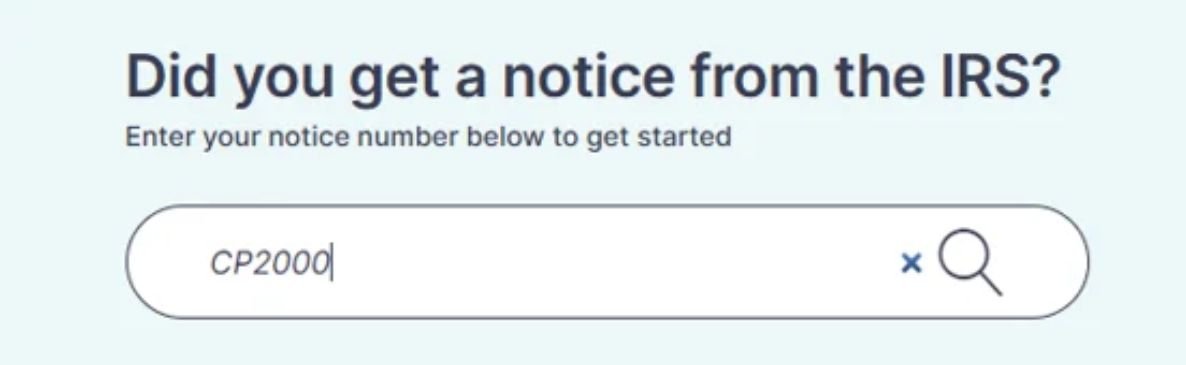
Step 3: Select the option that appears below the search bar
Select the option that best matches your notice. This will take you to the starting position for the section of the roadmap that applies to you.
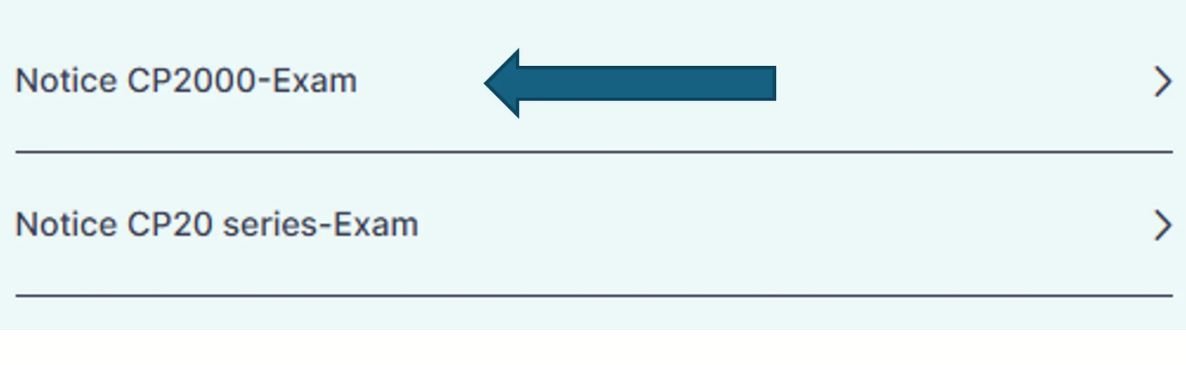
Step 4: Select the notice type.
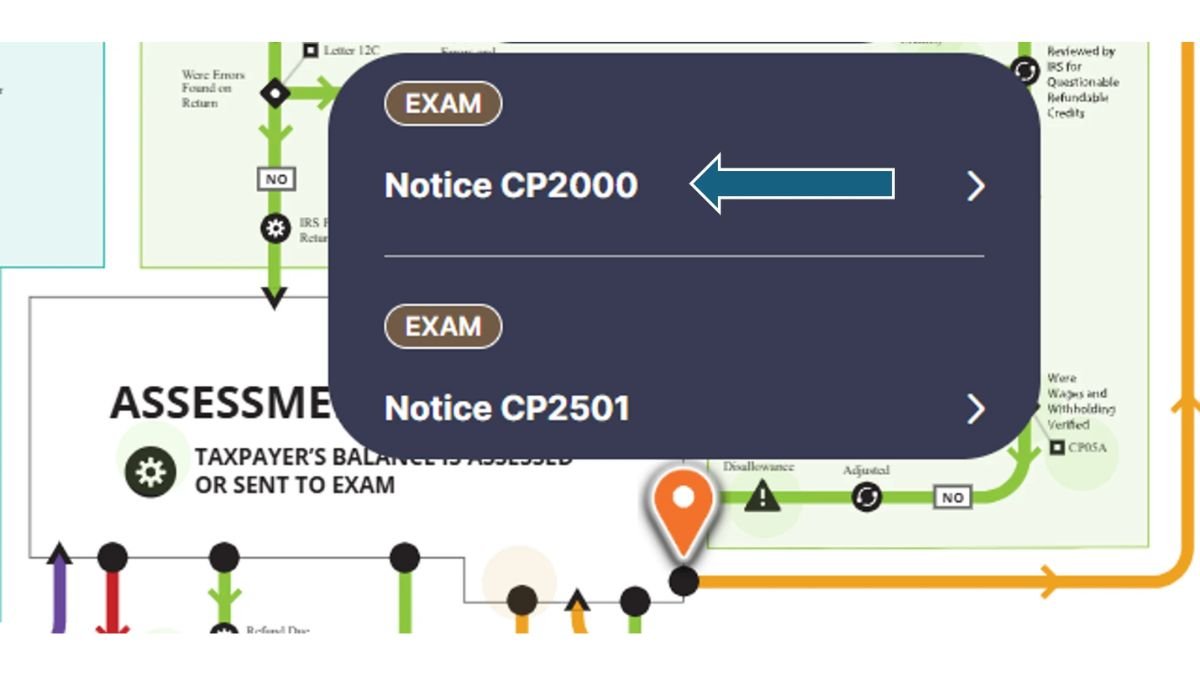
Step 5: Review the steps that apply to your notice
A window will pop up on the top-left of the screen. This is where you can review the steps that apply to your notice. Select ‘See notice details’ to learn what you may need to do next.
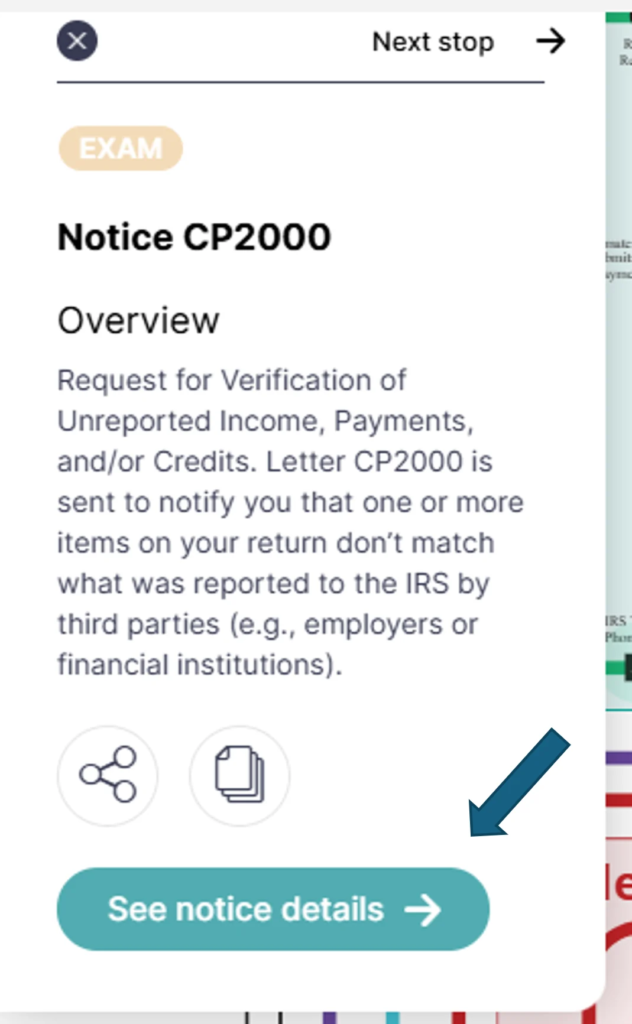
The Taxpayer Roadmap is a helpful guide, but it doesn’t replace the instructions in your IRS notice. Be sure to read your notice carefully and respond by the deadline listed in the letter.
Sometimes the scariest part about receiving an IRS notice is not understanding what it means or what happens next. The Taxpayer Roadmap can help ease those worries and give you a clearer path as you navigate the U.S. tax system.
The Taxpayer Roadmap is a free interactive visual tool created by the Taxpayer Advocate Service—an independent organization within the IRS—that maps out the U.S. tax system like a subway or transit map. It helps taxpayers see exactly where they stand in the IRS process, explains complex tax terms in plain language, and outlines potential next steps.
Locate the notice or letter code near the top corner of your IRS correspondence (such as CP2000, CP14, or Letter 525) and enter it into the search bar on the TAS Taxpayer Roadmap webpage. Selecting the matching notice from the dropdown menu takes you directly to your starting point on the map, where you can click “See notice details” for plain-language instructions.
The roadmap breaks the tax lifecycle down into key tracks so you can focus only on what applies to your situation:
Tax Return Preparation and Processing: Filing, sorting, and accuracy checks.
Exam (Audit): Reviews and document requests when the IRS questions items on a return.
Collection: Unpaid balances, payment plans, and enforced actions like levies.
Appeals and Litigation: Steps for disputing an IRS decision, including U.S. Tax Court.
No. While the roadmap helps you understand what a notice means and what may happen next, it is strictly an educational guide. You must still read your physical IRS notice carefully and respond by the specific deadline listed in the letter to protect your rights.
Yes, both the Taxpayer Roadmap and direct assistance from the Taxpayer Advocate Service are completely free. If you cannot resolve a tax problem through normal IRS channels, are experiencing financial hardship, or face significant processing delays, you can request one-on-one help from a TAS advocate.

Suresh Saini is the Founder and Lead Financial Researcher at Tax Assistant. He holds a Master of Commerce (M.Com) degree with a specialized focus on Advanced Accountancy, providing him with a robust academic and analytical foundation in complex accounting principles, credit systems, and personal finance structures.
Driven by a passion to democratize financial literacy, Suresh has spent years analyzing and decoding shifting fiscal guidelines. At Tax Assistant, he manages the platform’s core editorial direction, transforming dense government updates and complex banking parameters into structured, clear, and actionable guides for both individual taxpayers and small businesses across North America.
Before launching taxassistant.org, Suresh conducted deep financial and market dynamics research, focusing on asset management, personal wealth optimization, and strategic tax planning. His dedication to data integrity ensures that every piece of news, breakdown, or analysis published under his leadership is rigorously fact-checked by certified tax professionals and aligned perfectly with contemporary regulatory frameworks.
